Canva vs Photoshop vs Illustrator : Best First Tool 2026
May 11, 2026
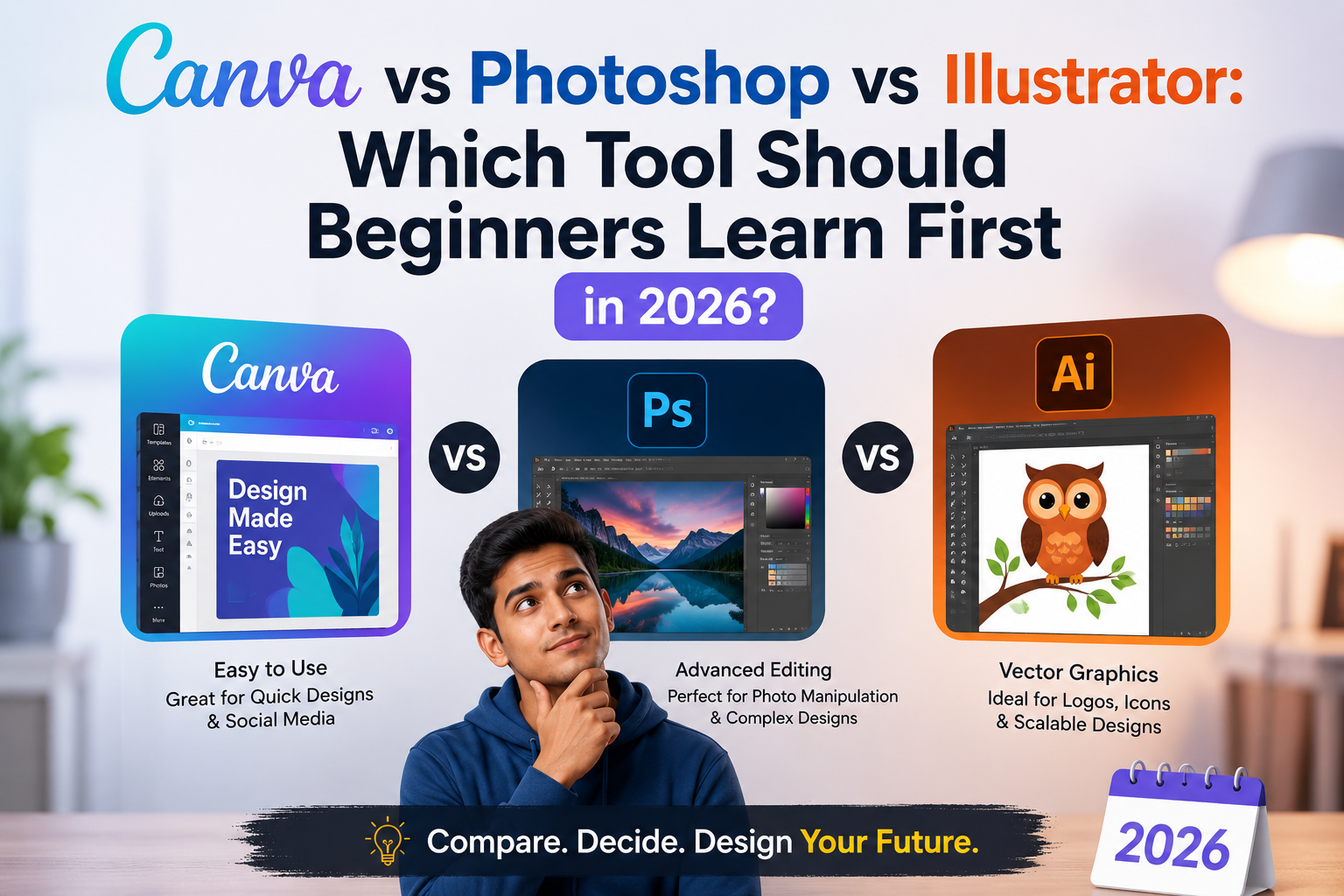
Canva vs Photoshop vs Illustrator: Which Tool Should Beginners Learn First in 2026?
Canva vs Photoshop vs Illustrator: Which Tool Should Beginners Learn First in 2026?
In 2026, graphic design is one of the fastest-growing creative careers in India. From social media marketing and branding to YouTube content, advertising, UI/UX, and freelancing, businesses are actively hiring skilled designers who can create professional digital content for marketing, branding, and digital platforms.
But most beginners have one common question:
“Should I learn Canva, Photoshop, or Illustrator first?”
If you are planning to start a career in graphic design, understanding the difference between these tools is important. Each software has its own purpose, learning curve, and career opportunities.
In this guide, you’ll learn:
- What Canva, Photoshop, and Illustrator are
- Their main differences
- Which tool beginners should learn first
At Velora India, many beginner students start their creative journey by learning Canva, Photoshop, and Illustrator through practical project-based training.
Why Choosing the Right Design Tool Matters in 2026
Today, businesses and brands rely heavily on designers for:
- Social media posts
- Logo design
- Branding
- Advertisement creatives
- YouTube thumbnails
- Website graphics
- Digital marketing campaigns
Because of AI and digital marketing growth, the demand for creative professionals is increasing rapidly. However, many students feel confused about where to start.
Learning the right design software helps beginners:
- Build a strong portfolio
- Start freelancing
- Apply for internships
- Create professional-quality designs
- Improve career opportunities
Let’s understand each tool one by one.
What Is Canva?
Canva is a beginner-friendly online design tool that allows users to create designs quickly using ready-made templates.
It is commonly used for:
- Instagram posts
- Posters
- Presentation slides
- YouTube thumbnails
- Invitations
- Resume designs
- Simple branding materials
Why Beginners Like Canva
Canva is popular among beginners because:
- It has a simple drag-and-drop interface
- Thousands of templates are available
- No advanced technical skills are required
- Designs can be created quickly
- It works on browser and mobile devices
For example:
- A college student can design event posters in minutes
- A small business owner can create Instagram content easily
- A beginner freelancer can start social media design projects quickly
Canva is an excellent starting point for understanding:
- Layout
- Fonts
- Color combinations
- Basic design principles
Limitations of Canva
Even though Canva is extremely useful for beginners who want to create quick and visually appealing designs without technical complexity, it has some limitations:
- Limited advanced editing tools
- Not ideal for professional logo design
- Less creative control compared to Adobe software
- Not preferred for advanced branding projects
Canva is great for quick content creation, but professional designers usually move to Photoshop and Illustrator for advanced work.
What Is Adobe Photoshop?
Adobe Photoshop is one of the world’s most popular graphic design and photo editing tools used by professionals.
It is mainly used for:
- Photo editing
- Social media designs
- Banner design
- Poster creation
- Advertisement creatives
- Thumbnail design
- Image manipulation
Why Photoshop Is Important
Photoshop is considered an industry-standard tool. Most companies hiring graphic designers expect candidates to have at least basic Photoshop skills.
Photoshop helps students:
- Create professional-quality designs
- Edit images professionally
- Understand layers and composition
- Work on freelance projects
- Build commercial design portfolios
For example:
- YouTubers hire designers for thumbnails
- Digital marketing agencies need ad creatives
- Brands require social media graphics regularly
Because of this, Photoshop remains one of the most valuable creative skills in 2026.
Is Photoshop Difficult for Beginners?
Compared to Canva, Photoshop has a learning curve because it includes:
- Multiple tools
- Layer management
- Advanced editing features
However, with regular practice, beginners can quickly improve and create professional-level designs.
What Is Adobe Illustrator?
Adobe Illustrator is a vector-based graphic design software mainly used for branding and illustration work.
It is widely used for:
- Logo design
- Brand identity
- Packaging design
- Typography
- Vector illustrations
- Infographics
Why Illustrator Is Important
If you want to become:
- A logo designer
- A branding expert
- A packaging designer
- A visual identity designer
Illustrator is considered one of the most important tools for professional branding and logo design.
Unlike Photoshop, Illustrator creates vector graphics. This means designs can be resized without losing quality.
That’s why professional logos and branding materials are usually created using Illustrator.
For example:
- Company logos
- Product packaging
- Business cards
- Brand identity systems
are commonly designed in Illustrator.
Which Tool Should Beginners Learn First?
The right choice depends on your career goals.
Start With Canva If You Want:
- Quick content creation
- Social media design
- Beginner-friendly learning
- Fast results without technical complexity
Canva is perfect for students with zero design experience.
Learn Photoshop If You Want:
- A professional graphic design career
- Freelancing opportunities
- Advertising and marketing projects
- Social media creative design work
Photoshop is one of the most important software skills for modern graphic designers.
Learn Illustrator If You Want:
- Logo design specialization
- Branding projects
- Packaging design
- Vector illustration work
Most professional designers learn Photoshop first and then move to Illustrator.
Can AI Replace Canva, Photoshop, or Illustrator?
AI tools are transforming the design industry in 2026 by helping designers create faster workflows, automatic edits, and smart templates.
However, creativity, branding strategy, visual storytelling, and original design thinking still require human designers.
Students who combine creative skills with professional software knowledge and AI tools will have stronger career opportunities in the future.
Best Learning Path for Beginners in 2026
Here’s a simple learning roadmap for students:
Step 1: Learn Design Basics
Focus on:
- Typography
- Color theory
- Layout design
- Composition
Step 2: Start With Canva
Practice simple projects like:
- Instagram posts
- Posters
- Presentations
- Thumbnails
Step 3: Move to Photoshop
Learn:
- Photo editing
- Layer management
- Professional design workflows
- Advertisement creatives
Step 4: Learn Illustrator
Practice:
- Logo design
- Branding
- Vector illustration
- Packaging concepts
Step 5: Build a Portfolio
Create real-world projects to showcase your skills.
This step-by-step approach helps beginners learn without confusion.
Why Portfolio Matters More Than Certificates
In today’s creative industry, companies care more about:
- Design quality
- Creativity
- Portfolio projects
- Practical skills
A strong portfolio can help students:
- Get internships
- Apply for jobs
- Start freelancing
- Build personal branding
This is why practical training and project-based learning are very important.
Career Opportunities After Learning Graphic Design
Students who learn Canva, Photoshop, and Illustrator can explore careers such as:
- Graphic Designer
- Social Media Designer
- Branding Designer
- UI/UX Designer
- Freelance Designer
- Digital Marketing Creative Designer
- Motion Graphics Artist
The demand for skilled designers continues to grow across India and globally.
Learn Graphic Design Professionally with Velora India
Choosing the right training institute is important for building a successful creative career.
At Velora India, Madurai, students receive practical training in:
- Adobe Photoshop
- Adobe Illustrator
- Branding design
- Portfolio development
- Social media creative design
Students work on real-world projects that help improve creativity, confidence, and practical industry skills for internships, freelancing, and professional careers.
The focus is not just on learning software, but also on developing creative thinking, portfolio quality, and industry-ready experience.
Final Thoughts
So, which tool should beginners learn first in 2026?
- Canva is best for beginners and quick designs
- Photoshop is essential for professional graphic design careers
- Illustrator is ideal for branding and logo design
For students serious about building a long-term career in graphic design, learning Photoshop and Illustrator together is one of the best choices for future growth.
The design industry is evolving rapidly with AI and digital marketing, but creative human designers will always remain valuable.
Students who build strong portfolios and practical skills will have better opportunities in the modern creative industry.
Frequently Asked Questions (FAQ)
Is Canva enough to become a graphic designer?
Canva is great for beginners and simple content creation, but professional graphic designers usually need Photoshop and Illustrator for advanced projects.
Which software is easiest for beginners?
Canva is the easiest tool for beginners because of its simple drag-and-drop interface.
Should I learn Photoshop or Illustrator first?
Most beginners start with Photoshop and then move to Illustrator for branding and vector design.
Is graphic design a good career in 2026?
Yes. Graphic design continues to be one of the most in-demand digital careers because businesses need creative content for marketing and branding.
Can AI replace graphic designers?
AI can assist designers, but creativity, branding strategy, and original ideas still require human designers.